







中文 | English
符合同济大学本科毕业设计论文官方格式要求的 LaTeX 模板。支持 XeLaTeX / LuaLaTeX 编译,提供 `minted` 和 `listings` 两种代码高亮方案,兼容 `biblatex` 和 `bibtex` 两种引用方式。在 Linux、macOS、Windows 三平台 CI 持续测试。
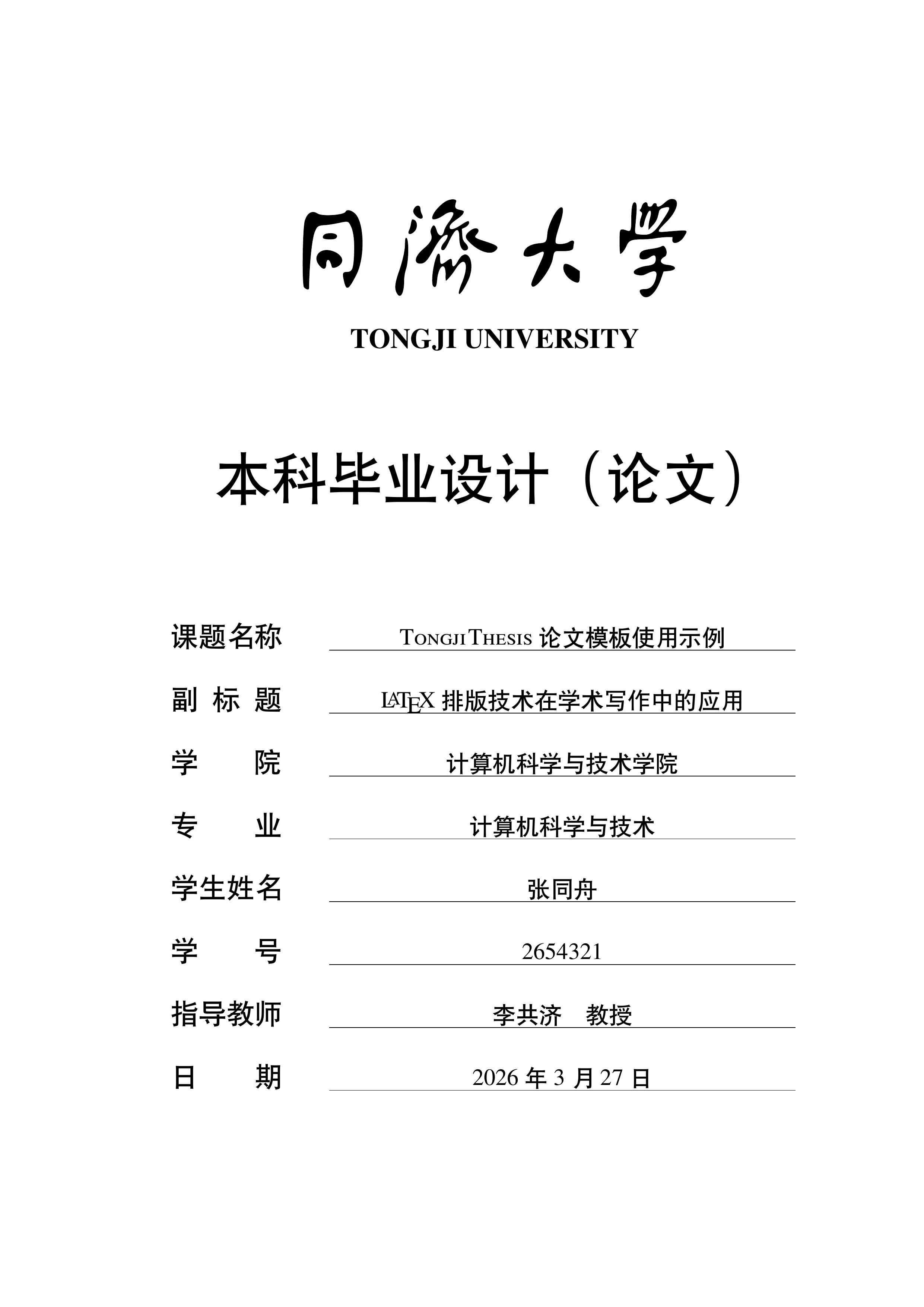
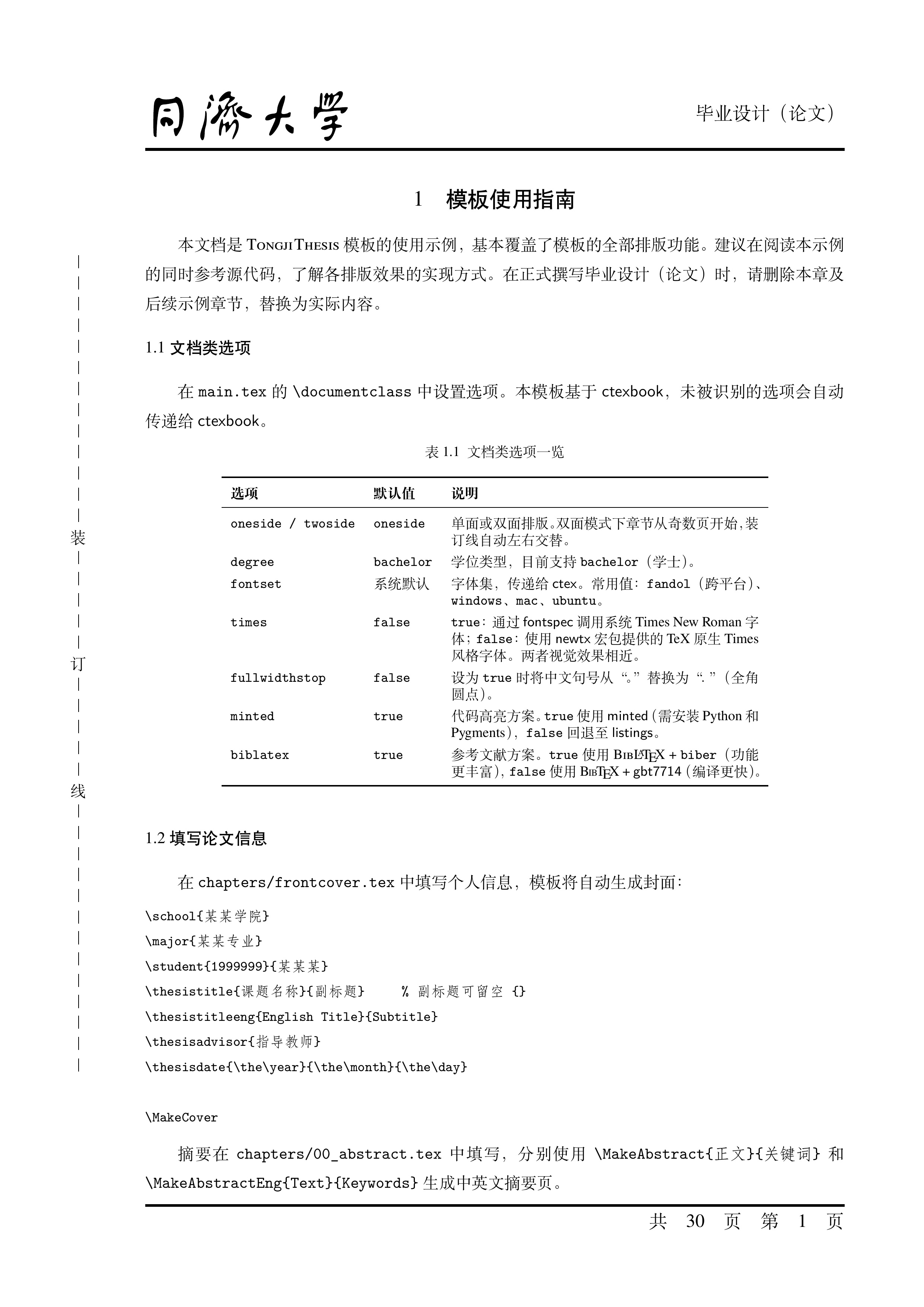
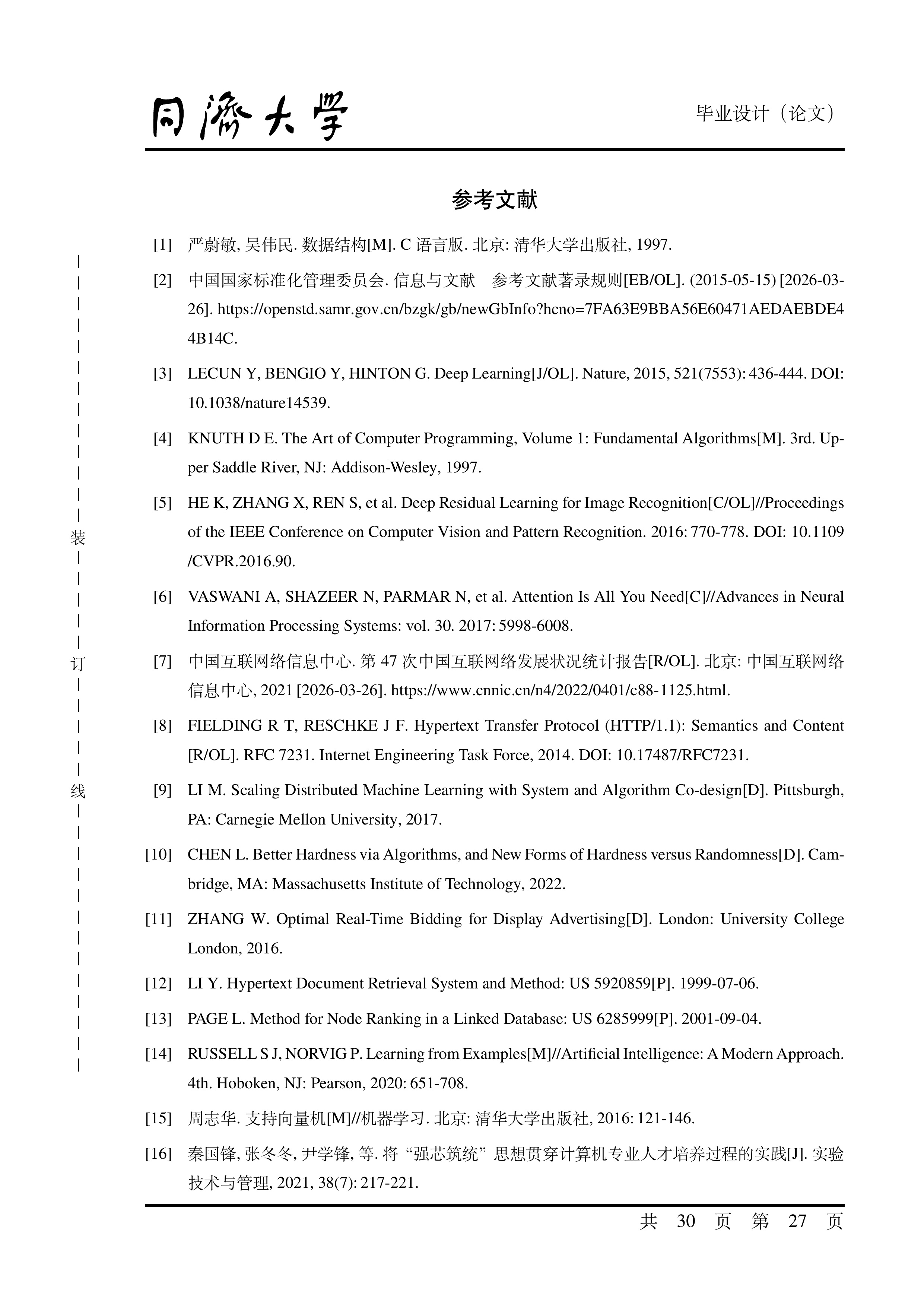
> [!NOTE]
> 完整样例可见 [模板输出样例展示(完整版)](https://github.com/TJ-CSCCG/TongjiThesis/discussions/21)、[Release 页](https://github.com/TJ-CSCCG/TongjiThesis/releases) 中 "Assets" 下的 PDF 下载链接或 [Overleaf 模版 PDF](https://www.overleaf.com/latex/templates/tongji-university-undergraduate-thesis-template/tfvdvyggqybn.pdf)。
## 主要特性
- 基于 `ctexbook` 文档类,支持 `\frontmatter` / `\mainmatter` / `\backmatter` / `\appendix` 结构
- 支持 `XeLaTeX` 和 `LuaLaTeX` 双编译器
- 支持 `biblatex`(默认)和 `bibtex` 双引用后端,通过 `\makereferences` 统一输出
- 支持 `minted`(默认)和 `listings` 双代码高亮方案
- 提供 `longlisting` 环境,支持跨页代码块
- 支持单面 / 双面打印,双面模式自动添加装订线
- 键值对文档类选项,配置灵活
- Linux / macOS / Windows 三平台 CI 持续测试
---
## 快速开始
| 方式 | 说明 |
| ------------------ | ------------------------------------------------------------------------------------------------------------------------------------------------ |
| **Overleaf** | 通过 [Overleaf 模板链接](https://www.overleaf.com/latex/templates/tongji-university-undergraduate-thesis-template/tfvdvyggqybn) 直接使用,零配置 |
| **本地编译** | 安装 [TeX Live 2026+](https://tug.org/texlive/quickinstall.html),克隆仓库,运行 `make` |
| **GitHub Actions** | Fork 本仓库,push 即可触发自动编译,在 Artifacts 中下载 PDF |
> [!TIP]
> 本模板的 CI 基于 **TeX Live 2026** 进行测试。如果您在本地编译时遇到难以解释的编译错误,请首先检查并升级您的 TeX Live 至 2026 版本。旧版 TeX Live 中的宏包版本可能与本模板不兼容。
## 使用方法
### 在线使用
#### 通过 Overleaf 模板直接使用
您可以通过 [Overleaf 模板链接](https://www.overleaf.com/latex/templates/tongji-university-undergraduate-thesis-template/tfvdvyggqybn) 直接使用本模板。
> [!IMPORTANT]
> 在使用 Overleaf 模板时,请检查编译器和主入口的设置:
>
> - 将 `main.tex` 文件设为主入口文件,而不是项目中的其他文件(如 `tongjithesis.cls`);
> - 推荐使用 `XeLaTeX` 和 `LuaLaTeX` 编译器,本模板不支持某些编译器(如 `pdfLaTeX`)。
#### 在 Overleaf 上导入本仓库
- 通过本仓库主页项目文件列表上方的 `Code | Download ZIP` 下载本仓库;
- 打开 [Overleaf](https://www.overleaf.com/);
- 通过拖拽下载的 `zip` 文件上传至 Overleaf。
#### 在 GitHub Actions 中编译
项目以 `.github/workflows/*.yaml` 配置了 GitHub Actions,push 代码到 fork 仓库或 template-generated 仓库均可触发测试。可通过 commit 对应的 workflow run 中的 `Summary | Artifacts` 获得多平台构建产物。
(通过勾选 `Settings | Actions | General | Allow all actions and reusable workflows` 打开 GitHub Actions)
### 本地使用
#### 安装 TeX 发行版
我们建议参照[官方快速安装指南](https://tug.org/texlive/quickinstall.html)安装 TeX Live(Windows、Linux)或 MacTeX(macOS)。
#### 构建项目
我们推荐使用命令行构建项目,也支持通过 VS Code 的 LaTeX Workshop 插件构建。
##### 通过命令行
###### Makefile (Linux/macOS)
```shell
make all # compile main.pdf
make ENGINE=$ENGINE all # use $ENGINE (where $ENGINE=-xelatex or -lualatex) to compile main.pdf
make clean # rm intermediate files
make cleanall # rm all intermediate files (including .pdf)
make wordcount # wordcount
```
###### Batchfile (Windows)
```bat
.\make.bat # the same to "make.bat thesis"
.\make.bat thesis # compile main.pdf
.\make.bat thesis $ENGINE # use $ENGINE (where $ENGINE=-xelatex or -lualatex) to compile main.pdf
.\make.bat clean # clean all work files by latexmk -c
.\make.bat cleanall # clean all work files and main.pdf by latexmk -C
.\make.bat wordcount # wordcount
.\make.bat help # read the manual
```
通过 VS Code 及 LaTeX Workshop 插件
在 VS Code 中安装 LaTeX Workshop 插件,然后**直接打开本项目根目录**(即 `TongjiThesis` 文件夹,而非其上层文件夹,否则 `.vscode/settings.json` 配置无法生效)。
因为我们已经在 `.vscode/settings.json` 中配置了 LaTeX Workshop 插件,所以您只需要:
- 选中 `main.tex` 文件;
- 点击左侧边栏中带有 $\TeX$ 图标的按钮;
- 点击 `Build LaTeX project` 列表中的 `Recipe: latexmk (xelatex)` 编译 `.pdf` 文件。
或者,LaTeX Workshop 插件会在您保存文件时自动编译。
在 Docker 中使用
详细使用方法见 [TongjiThesis-env](https://github.com/TJ-CSCCG/TongjiThesis-env)。
各选项详细说明
##### 单双面打印选项
- `oneside`:单面打印(默认)
- `twoside`:双面打印,会调整页边距和装订线
##### 字体选项
- `fontset=fandol`:使用 Fandol 字体集(默认)
- `fontset=adobe`:使用 Adobe 字体集(需要安装 Adobe 字体)
- `times=false`:使用 `newtx` 包提供的字体(默认)
- `times=true`:使用 Times New Roman 字体
##### 中文标点选项
- `fullwidthstop=false`:保持中文句号"。"不变(默认)
- `fullwidthstop=true`:将中文句号"。"替换为西文句号"."
##### 参考文献选项
- `biblatex=true`:使用 `biblatex`(biber 后端)管理参考文献(默认)
- `biblatex=false`:使用 `bibtex` 配合 `gbt7714` 宏包管理参考文献
使用 `\tjbibresource{file1.bib,file2.bib}` 指定参考文献数据库文件,使用 `\makereferences` 输出参考文献列表。
渲染生僻字
由于本模版默认使用 Fandol 字体,对于姓名、专有名词等生僻字的支持可能不够完善。我们在本模版 GitHub 仓库的 [`fonts`](https://github.com/TJ-CSCCG/TongjiThesis/tree/fonts) 分支中提供了 Adobe 字体集,您可以下载、安装这些字体,然后在 `main.tex` 中通过 `fontset=adobe` 选项来使用 Adobe 字体集:
```latex
\documentclass[
oneside,
fontset=adobe,
% 其他选项...
]{tongjithesis}
```
这样修改后,LaTeX 将使用 Adobe 字体集来渲染文档。
**注意**:将 Adobe 字体文件放置在项目根目录下并在 `main.tex` 中指定字体路径的方式并不总是有效。因此,我们建议您将 Adobe 字体文件安装到系统字体目录中。经测试,在 Overleaf 项目的根目录下放置 Adobe 字体文件,并只在使用 LuaLaTeX 编译的方式是有效的,但这种方式可能会导致编译速度变慢。
使用 minted 但不想将 Python 添加到环境变量 PATH 中?
可以在 `main.tex` 文件中添加重定向 `minted` 宏包的 Python 路径:
```latex
\renewcommand{\MintedPython}{/path/to/your/python}
```